I have owned an Apple Watch since Series 2. I also had a Series 4 with cellular, and now own a Series 6, also with cellular. I bought the Apple Watch because it was rated as being the most accurate general purpose, wrist-based fitness tracker. There are certainly other options, and better ones just for running, but I went with Apple because I am fairly comfy in their ecosystem.
I’ve known for some time that wrist-based heart rate monitors (HRM) are inaccurate. My Apple Watch will show me at 180 bpm when I am working moderately/hard. My maximum heart rate is around 173 bpm, so, no. Just no.
As of watchOS 7, it’s like the Watch does not even try anymore. I will start my run and it’s a good half mile before it even can show a reading. When it finally does, it is wildly inaccurate. At a friend’s suggestion, I bought a Wahoo TICKR FIT a couple years ago. I wear it on my upper arm, and it gets within 1-2 bpm of what a chest strap Wahoo TICKR X gives. This is good enough for my purposes. For comparison, when the Apple Watch says I’m at 180 bpm, the Wahoo TICKRs will show me being somewhere in the 150s.
As of watchOS 8.4, things got worse. The Bluetooth connection between the Watch and three different HRMs (Wahoo TICKR Fit, Wahoo TICKR X, and Polar H10) all lose their connection to the watch within seconds of starting a workout. They periodically reconnect, but then continue to lose the connection. The end result is periods of accurate readings along with equal periods of inaccurate readings. The result is the same – useless, garbage data. On the Apple Watches, I test by pairing the HRM and using the Workout app. On my iPhone, I pair the devices and tested with Strava or the manufacturer’s apps.
To troubleshoot this, Apple sent me a new Apple Watch. It is running watchOS 7.6.1. While this version is buggy, it works and will reliably hold a connection with any of the three HRMs I have tried. When I paired a couple of the HRMs with a friend’s Apple Watch, running watchOS 8.4.2, she experienced the same, erratic and inaccurate behavior. So at this point, I have tried the combinations shown in the following table.
| Apple Device | Wahoo TICKR X | Wahoo TICKR Fit | Polar H10 |
| Series 6, Cellular, watchOS 8.4, 8.4.1, 8.4.2 | X | X | X |
| Series 4, Cellular, watchOS 8.4.2 | X | X | – |
| Series 6, Cellular, watchOS 7.6.1 | ✓ | ✓ | ✓ |
| iPhone 13, iOS 15.3.1 | ✓ | ✓ | ✓ |
I have gone well above and beyond what any customer should have to do to troubleshoot this. I have reported my findings to Apple and Wahoo at my own time and expense. And I have gotten zero positive results.
After weeks of troubleshooting, Apple reported back that the problem is with the third-party manufacturers. Apple will not work with me further to address the issue. Apple said they would work with the manufacturers, but not with me. As I only have the Wahoo devices (returning the Polar, since it behaved the same), that leaves them. Wahoo maintains no one else has reported this behavior, even though I have clearly demonstrated the issue with two of their products on two separate Apple Watches.
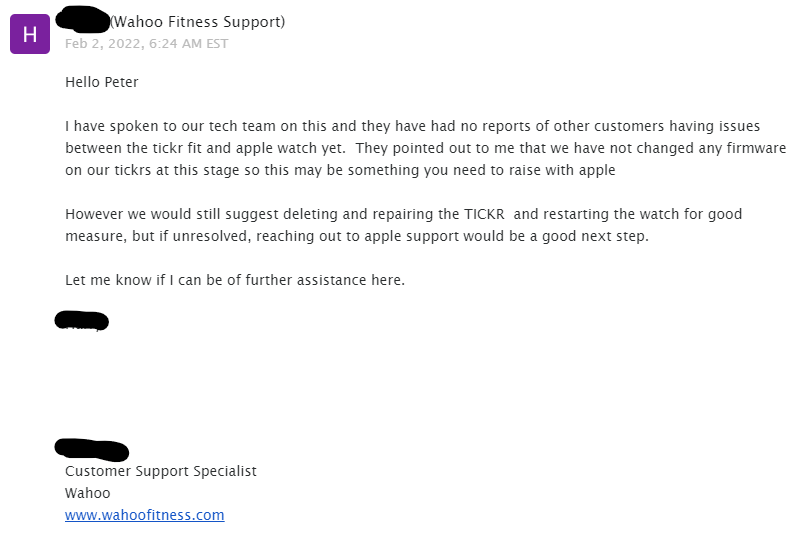
Wahoo’s website says that their products work with the Apple Watch.
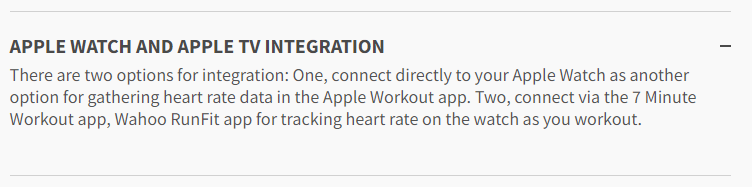
So what’s a guy to do? I have clearly demonstrated the problem, but no one wants to own it. At this point, if I want reliable metrics, I need to stay on an old, buggy, insecure version of watchOS. I didn’t even get into the fact that I cannot activate cellular service on the replacement watch running watchOS 7.6.1. I’ll save that for another post.
UPDATE: As of watchOS 8.5 (2022-03-14) everything seems to be working again normally.
UPDATE: Nope, nope. As of 2022-03-17 it happened again.

 I recently had the opportunity to review Data Rescue 4.2 from Prosoft Engineering, including a branded copy of their Bootwell USB thumbdrive.